Wetlab Service Usage
Wet Lab Services
Wet lab services are divided into three modules: gene synthesis – protein expression – protein purification.
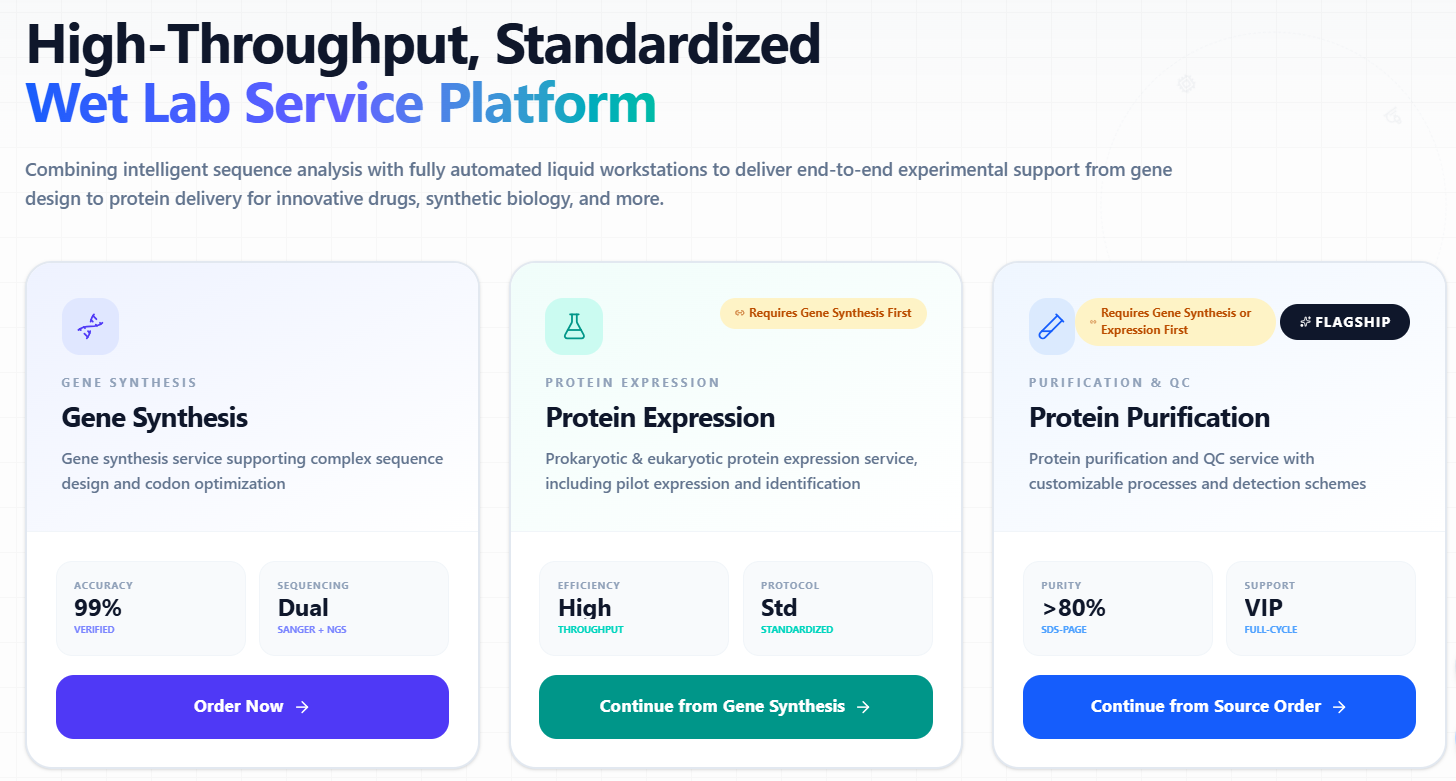
1. Access Methods
1.1.1 Access via Sidebar
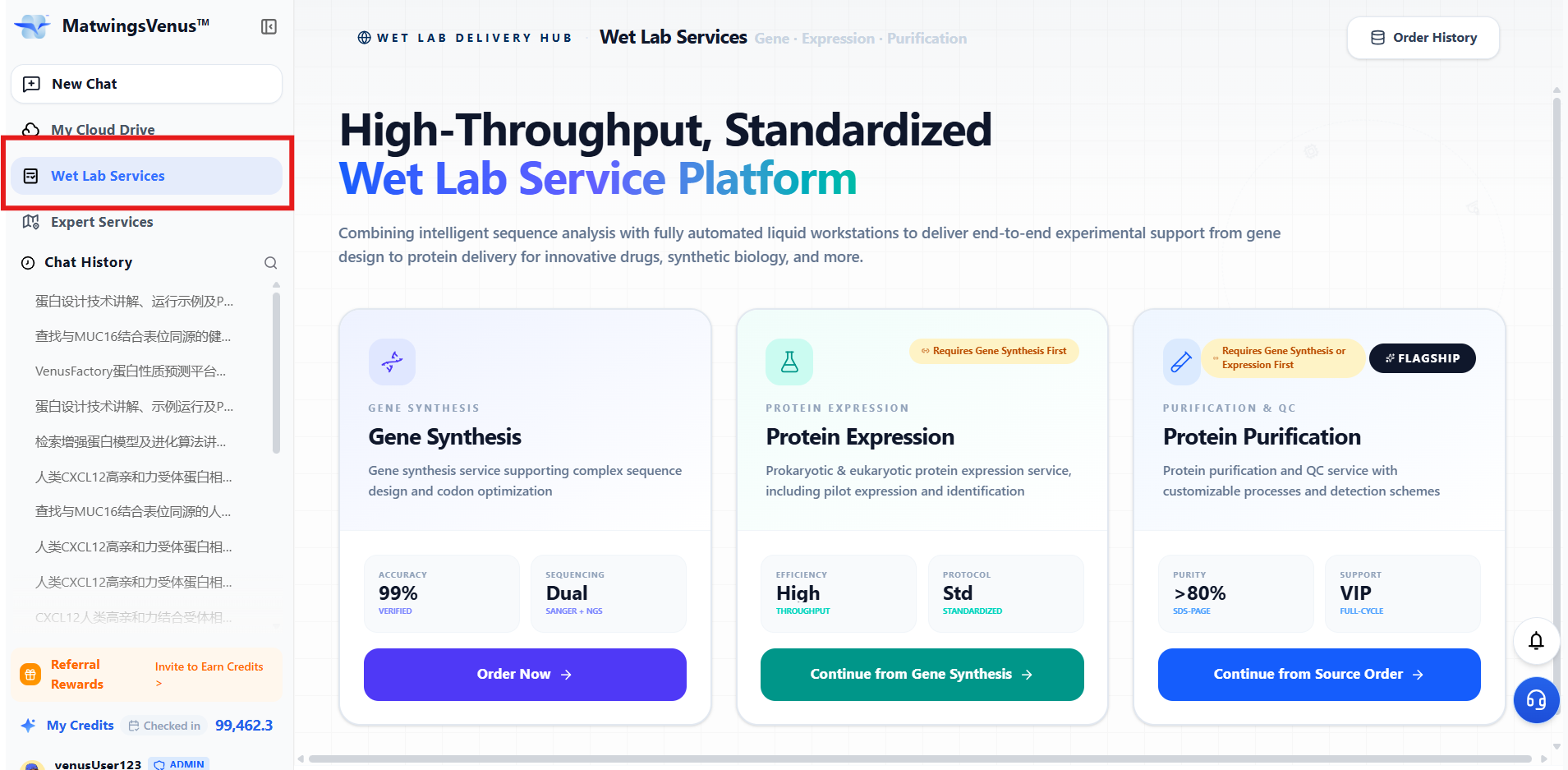
1.1.2 Access via Conversation Page
The AI automatically determines sequence generation, recommends placing an order, and guides the user to click and enter.
2. Gene Synthesis Module
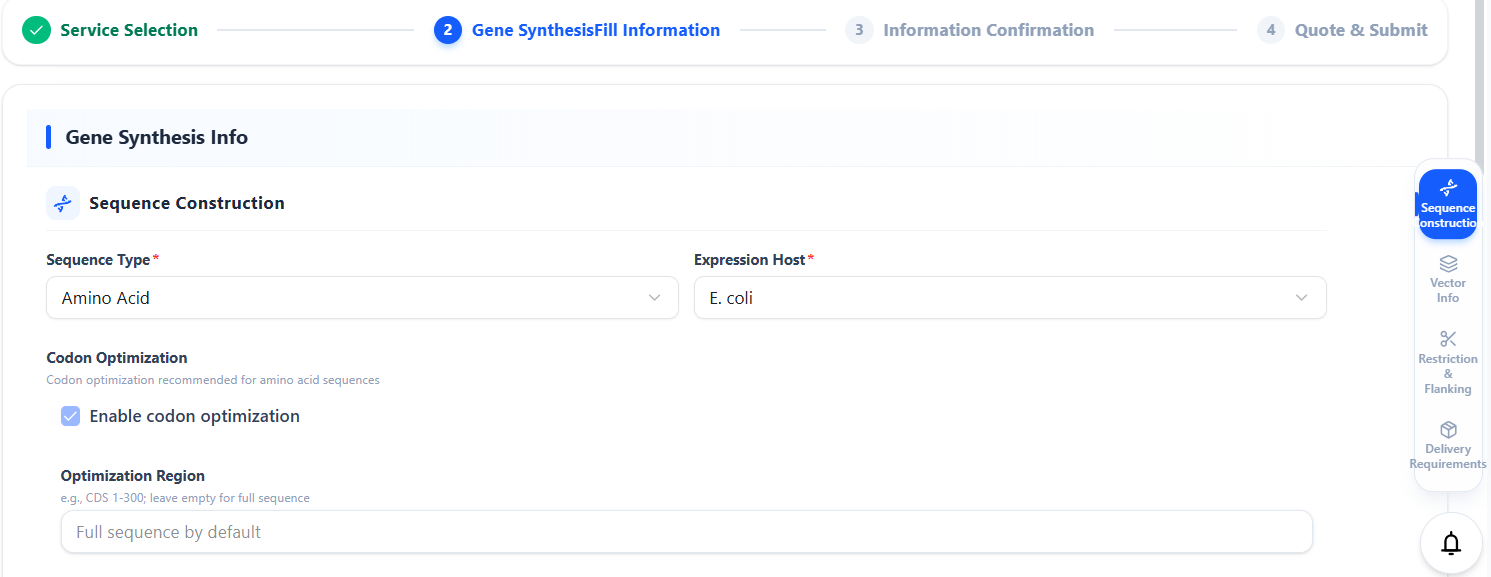
2.1 Expression Host
You may select based on sequence type: DNA sequence (codon optimization optional) or amino acid sequence (codon optimization enabled by default).
Currently, the supported expression hosts are E. coli and Pichia pastoris.
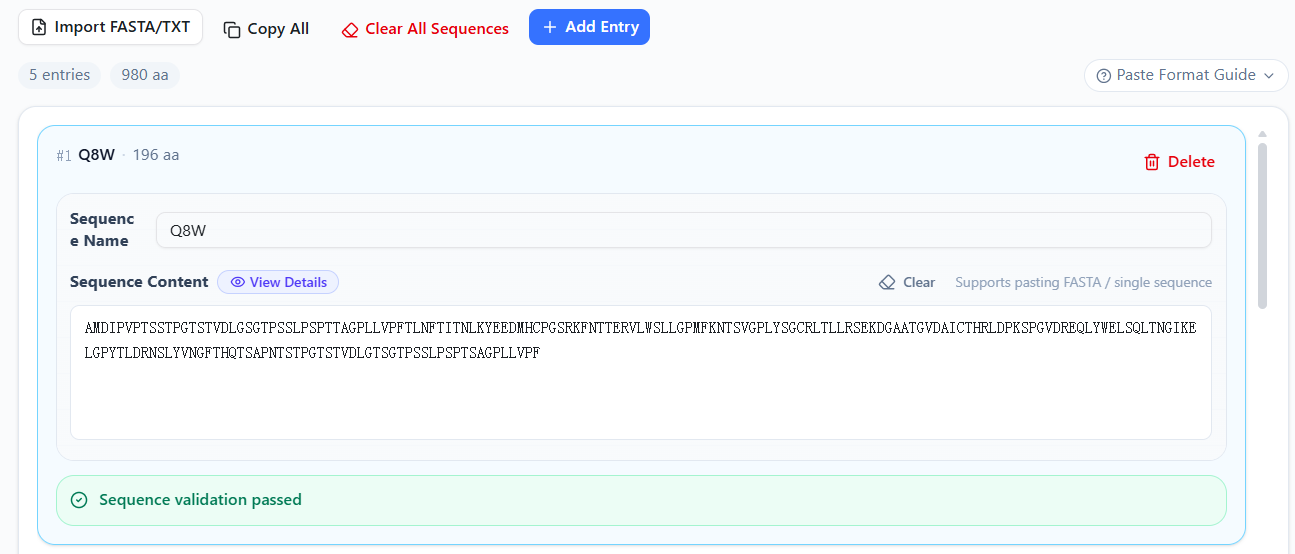
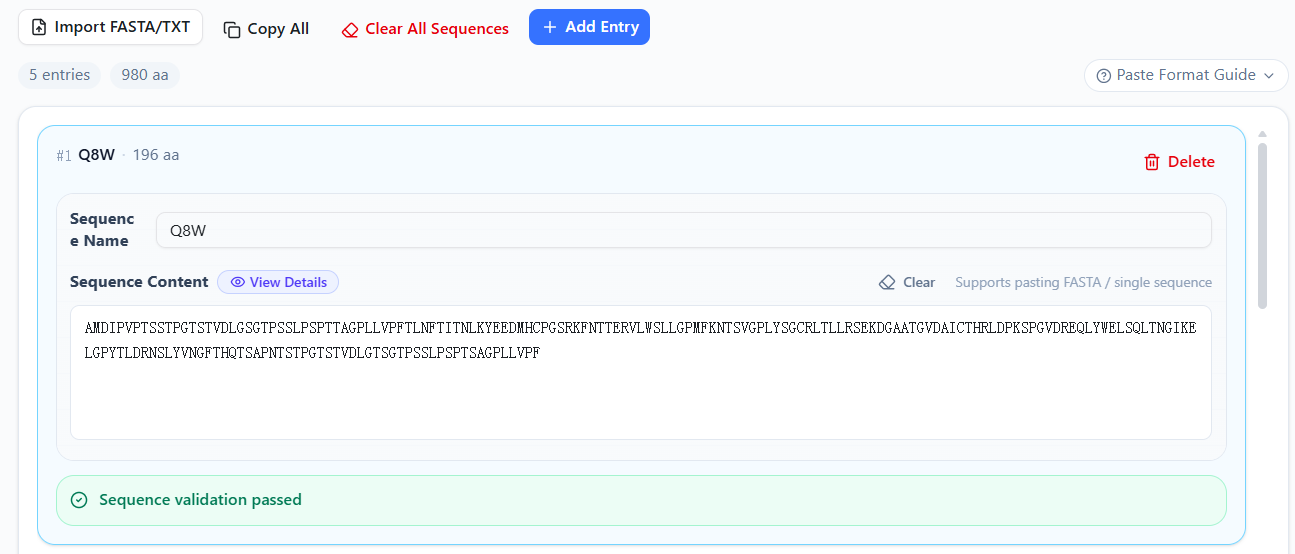
2.2 Target Sequence
You may manually upload the sequence, or upload it with one click after interacting with the AI agent.
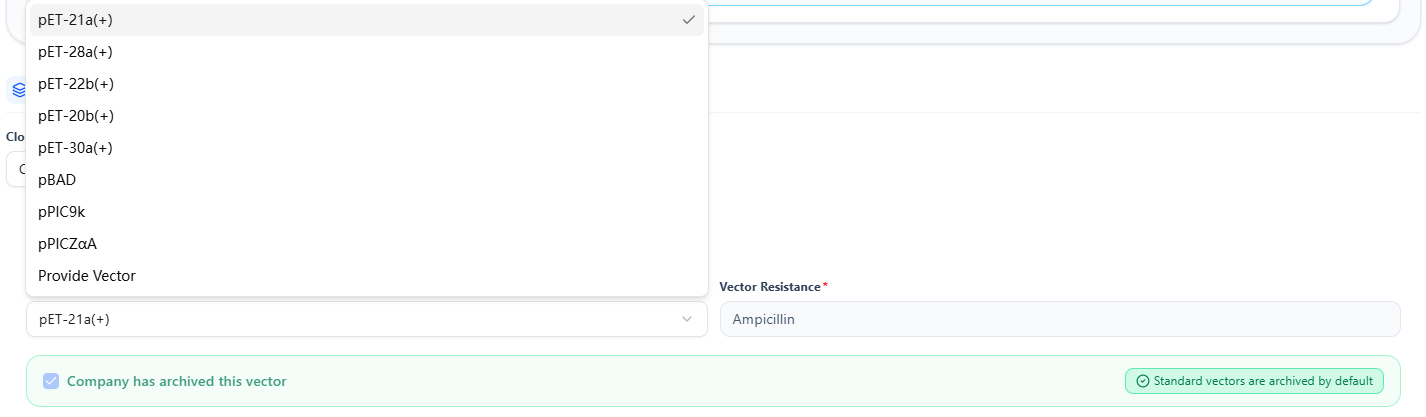
2.3 Vector Information
You may choose:
Cloning vectors (2 options)
Custom vector
For E. coli expression vectors:
Six selectable options
Or choose “Provide Vector” and upload the required vector sequence or plasmid map
His‑tag position and antibiotic resistance are pre‑annotated (no need to select)
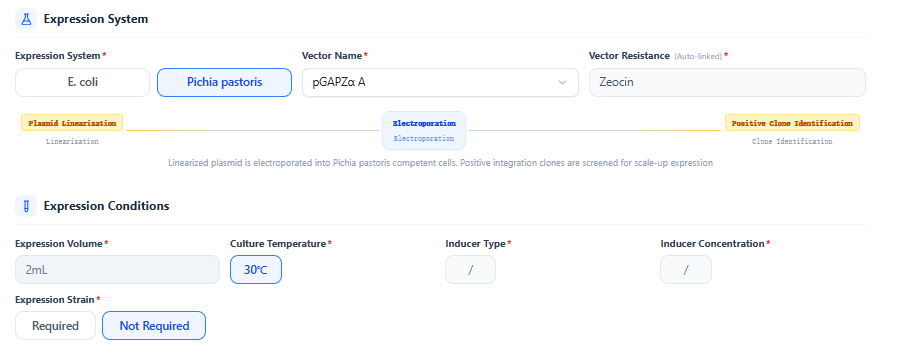
For Pichia pastoris expression vectors:
One option currently available
User must select His‑tag position
Antibiotic resistance is pre‑annotated (no need to select)

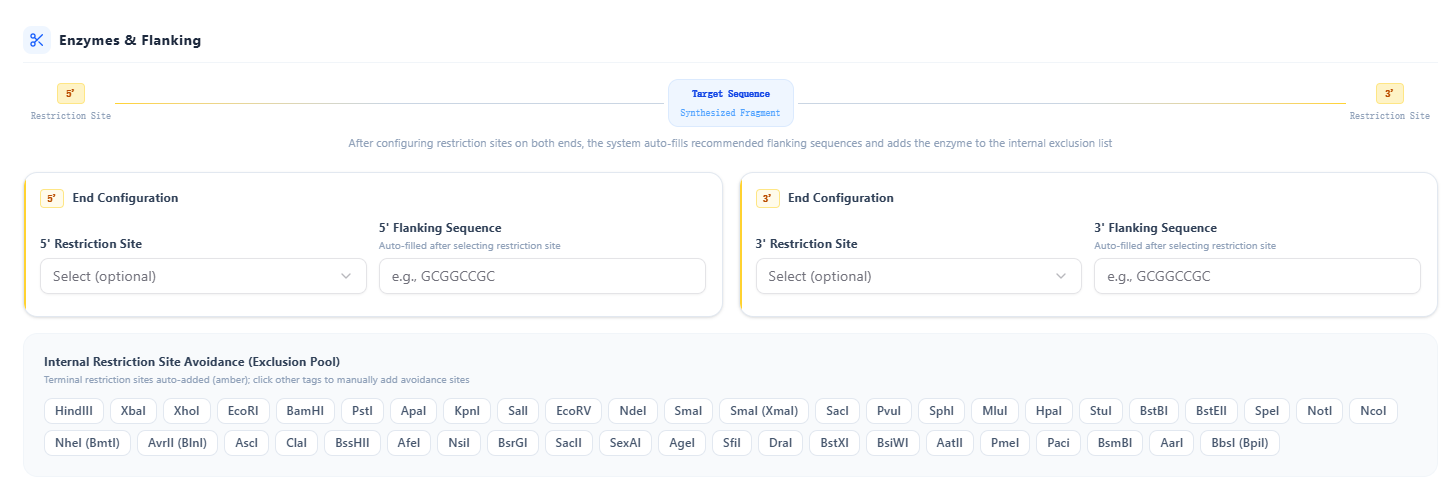
2.4 Restriction Enzymes & Flanking Sequences
You may specify restriction sites or sites that must be avoided.
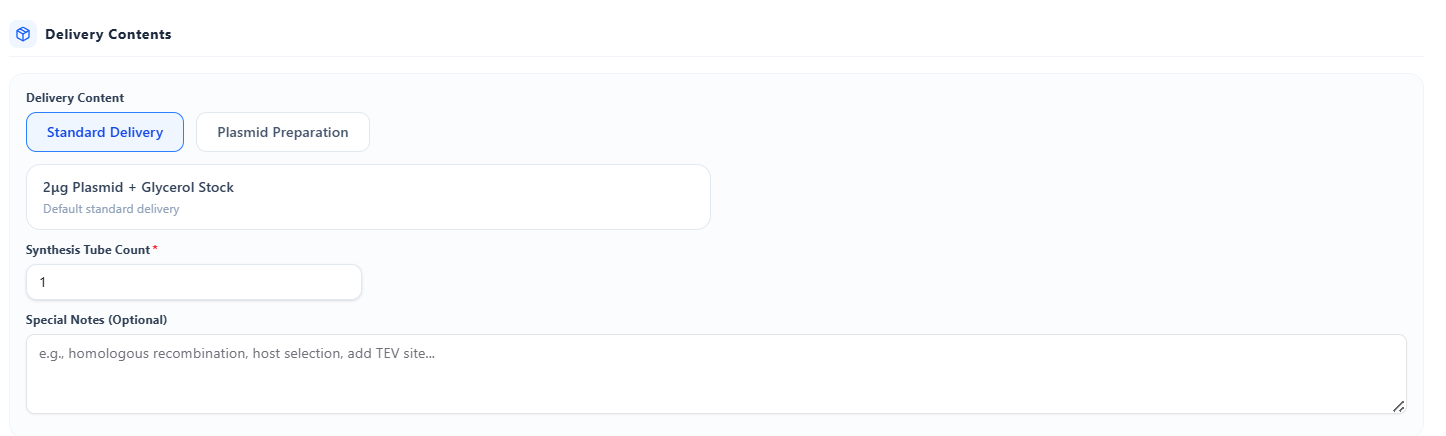
2.5 Delivery Contents
Default deliverables:
Standard delivery (≥2 μg plasmid + glycerol stock)
Optional:
Stab culture
Plasmid preparation services (100 μg, 200 μg, 500 μg)
2.6 Information Confirmation
After clicking Information Confirmation, review the information 👉 proceed to quotation, confirm the order, and wait for customer service to verify details and send the quotation.

👇

3 Protein Expression Module
3.1 Protein Expression Information
After placing a gene synthesis order, you may directly click Protein Expression to proceed. Sequence information, expression host, and vector will be automatically synchronized.
3.2 Expression Conditions
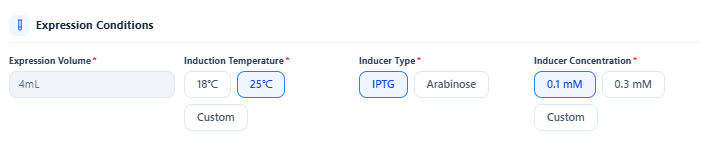
E. coli
Default expression volume: 4 ml
Induction temperature: two preset options, or specify a temperature within a reasonable range
Inducers: two preset options, or specify a concentration within a reasonable range
Pichia pastoris
Default expression volume: 2 ml
Induction temperature: default 30°C, or specify another temperature
Option to request delivery of the expression strain (default: not delivered)
Additional requirements may be added in the remarks.
Any additional requirements may be added in the remarks section.
3.3 Information Confirmation
After clicking Information Confirmation, verify the information 👉 proceed to quotation, confirm the order, and wait for customer service to verify details and send the quotation.
👇
4. Protein Purification Module
4.1 Protein Purification Module
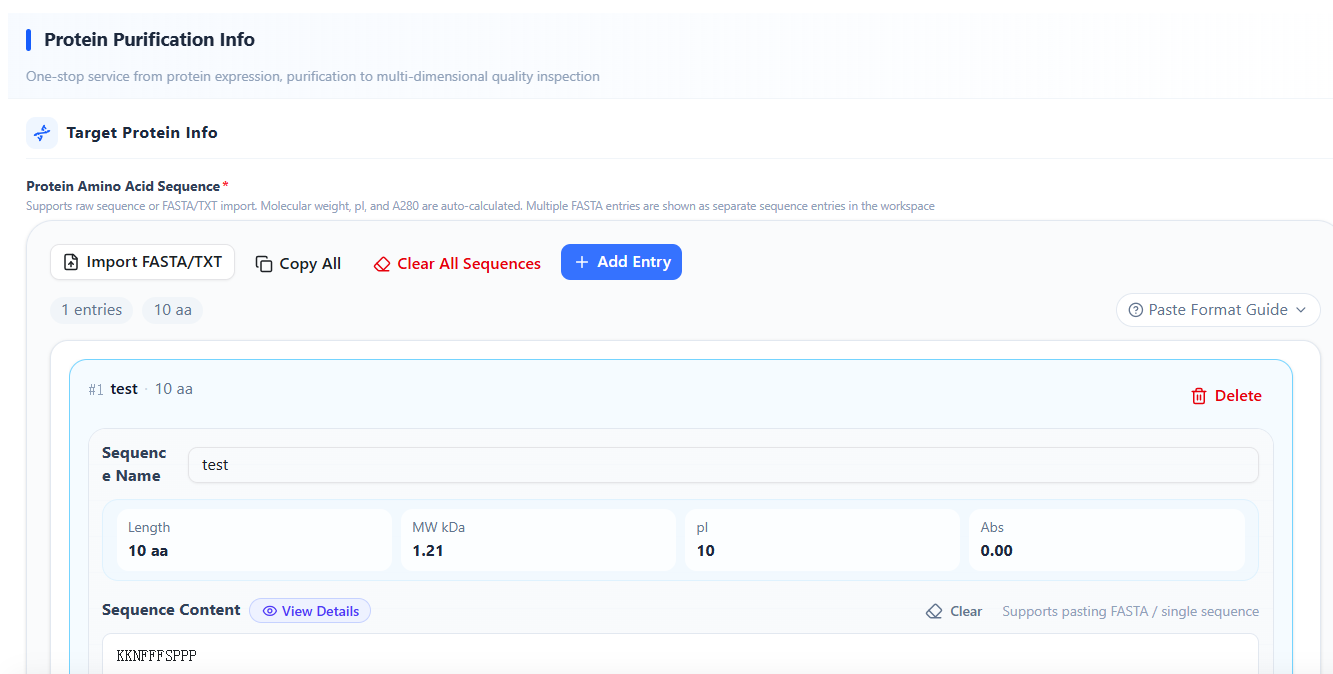
After placing a protein expression order, you may directly click Protein Purification to proceed. Sequence information will be auto‑filled, and protein‑related parameters will be automatically calculated. Users may review the information.
4.2 Purification Parameters
Confirm whether the protein contains a His‑tag
Whether tag‑removal service is required
Two buffer options are currently available

4.3 Quality & Delivery
Default purity for E. coli system: >80%
Option to request Tm value measurement

4.4 Delivery Methods
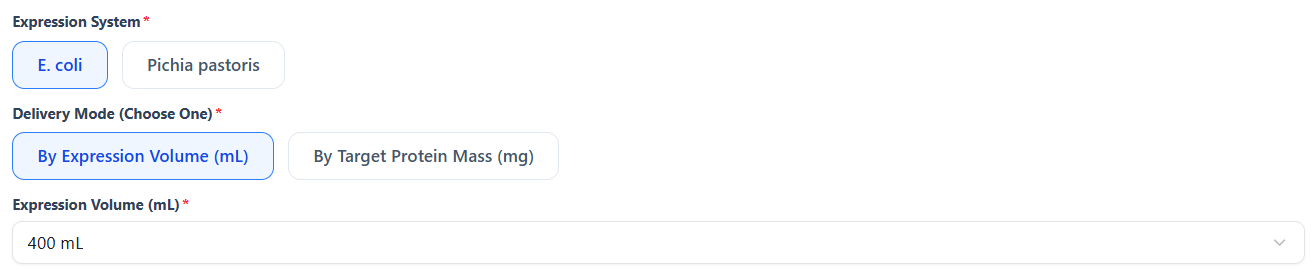
a. Delivery based on expression volume
(Protein amount not guaranteed)
E. coli: 400 ml or 800 ml
Pichia pastoris: 200 ml or 1000 ml
b. Delivery based on target protein mass
Feasibility depends on small‑scale expression results.
4.5 Remarks
Any additional requirements may be added in the remarks.
4.6 Information Confirmation
After clicking Information Confirmation, review the information 👉 proceed to quotation, confirm the order, and wait for customer service to verify details and send the quotation.
👇